Quick Start
One page summary of what to do on M-SHIP.
Requirements
- M-SHIP User Account
- Supported Web Browser
Login to M-SHIP
Navigate to M-SHIP to login.
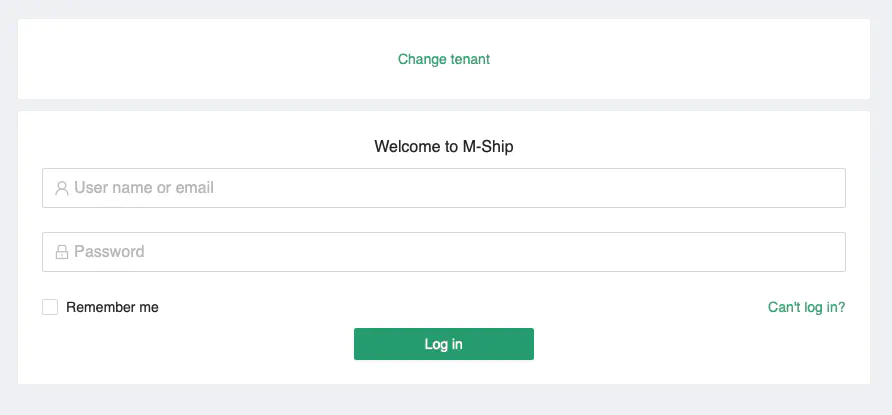
Click on the Change tenant link and a window containing the Tenancy information will pop-up.
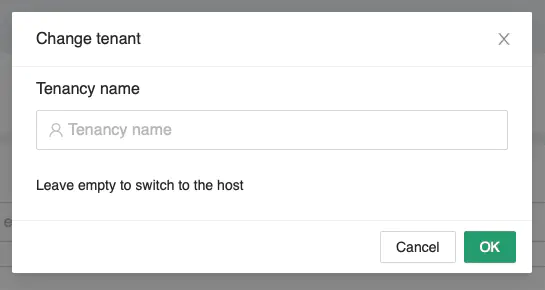
Enter Crossover as the Tenancy Name and click [Ok].
Login with your UserID and Password
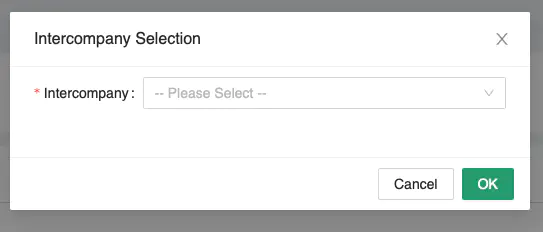
Once you have successfully logged in, the default dashboard will be loaded. If you are assigned to multiple companies, select the company that you are representing for this login session.
Outstanding Tasks
You may click on the Outstanding Tasks widget to navigate to the Tasks Management module.
Alternatively, you can navigate to the Tasks Management module via the menu on the left of the screen.
Go Further
Manage Customer Codes, Manage Containers, Manage Quotations, Manage Jobs
Manage Customer Codes
Learn how to create and manage customer codes with System Codes. NAD Code →
Manage Containers
See how Containers are managed in M-SHIP. Container Info →
Manage Quotations
Read more about managing Quotations. Quotations →
Manage Jobs
Learn how to create and manage jobs in M-SHIP. Jobs →